
Download Mc-Pixie Launcher – Minecraft launcher, modpacks, customization, modding tools, Minecraft mod launcher, modpack installer, Minecraft mod manager, Minecraft launcher for Android
Overview
The Mc-Pixie Launcher is a mobile application designed to serve as a dedicated tool for Minecraft players seeking enhanced gameplay through modpacks and customization. Built specifically for Android, this launcher aims to bring the flexibility of desktop modding environments into the mobile space. Its primary purpose is to simplify the process of managing, installing, and launching modpacks directly on smartphones and tablets. By doing so, it addresses the challenge of limited mod support on mobile platforms, offering users greater control over their Minecraft experience.
Target users include both casual Minecraft enthusiasts and more advanced players interested in modding. The app is particularly beneficial for those who want to experiment with custom gameplay experiences without the complexity of manual file management. Real-world use cases include accessing community-created modpacks, testing new gameplay mechanics, and organizing multiple mod configurations for different play styles. In the broader app ecosystem, Mc-Pixie Launcher fills a niche gap by providing a streamlined, mobile-optimized solution for mod management.
Developed by Mc-Pixie, the app reflects a focused effort to empower the mobile Minecraft community. Although the developer did not provide additional technical details, the app’s design philosophy centers on accessibility and user empowerment. With its free pricing model, it lowers the barrier to entry for players exploring modded content on Android devices.
Key Features & Functionality
Mc-Pixie Launcher offers a suite of features tailored to streamline modpack management on mobile devices. The core functionality revolves around simplifying access to a wide variety of modpacks while maintaining user control over customization.
- User-Friendly Interface: The launcher features an intuitive layout designed for easy navigation, allowing players to access settings, modpacks, and game profiles without confusion. This is especially valuable for new users who may be unfamiliar with modding workflows.
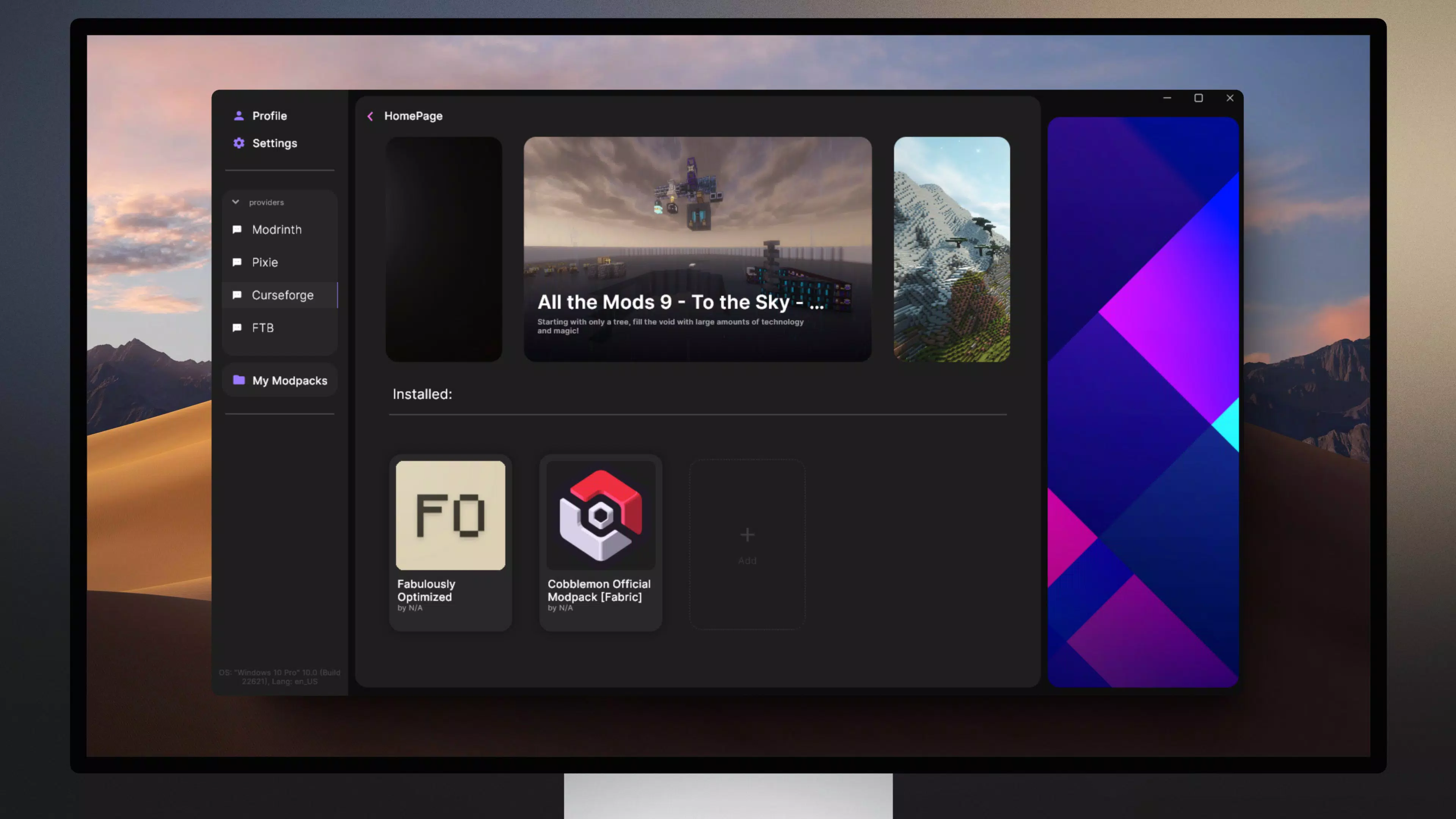
- Multiple Modpack Support: Users can install and switch between multiple modpacks, each with its own configuration, mods, and settings. This enables diverse gameplay experiences within a single app.
- Custom Modpack Creation: Players can build their own modpacks by selecting individual mods from supported sources. This feature supports personalization and experimentation, allowing users to tailor their Minecraft world to specific interests.
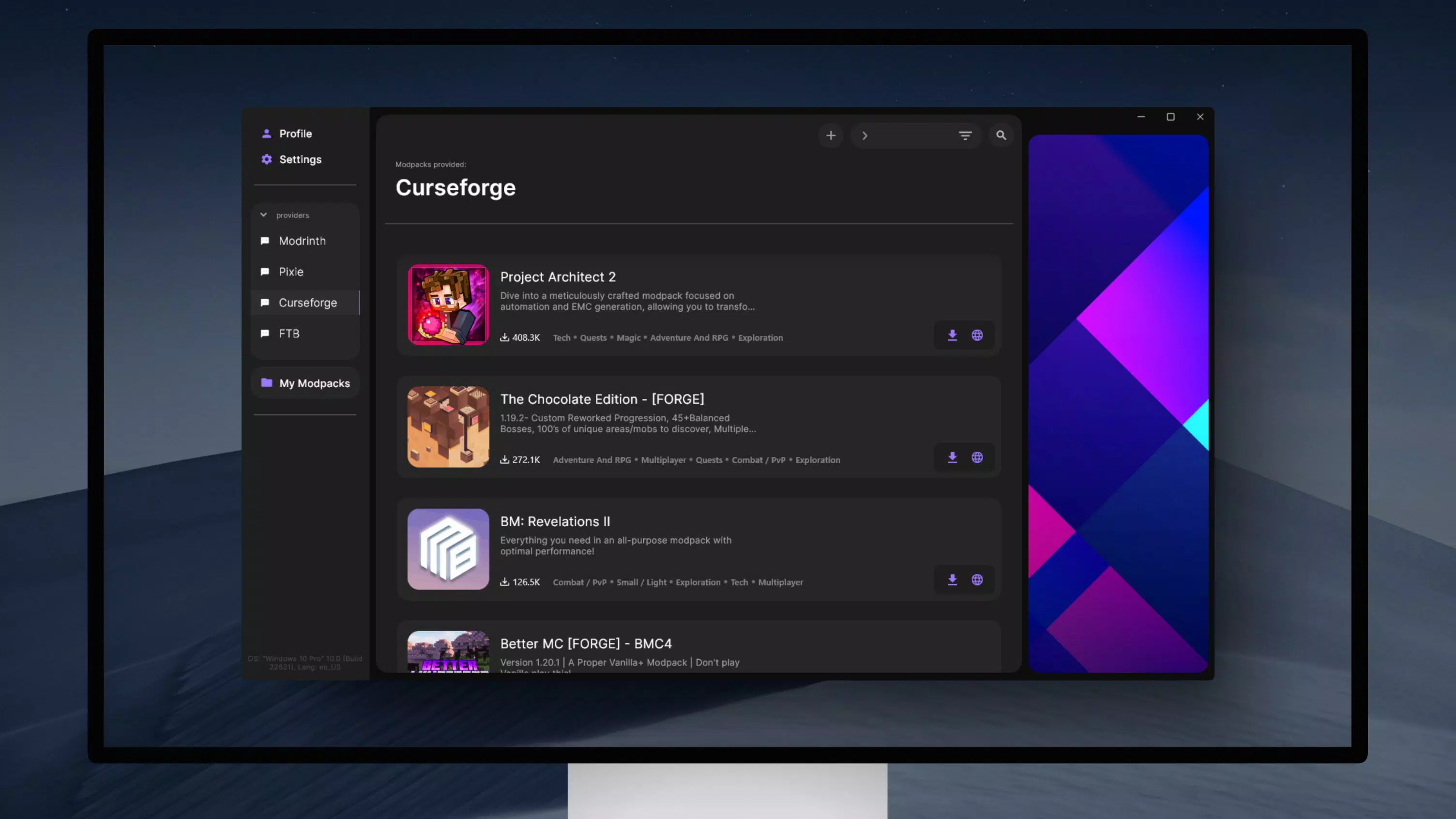
- Integration with CurseForge and Modrinth: The launcher provides direct access to popular modding platforms, enabling users to import modpacks with minimal effort. This integration reduces the need for external tools or manual downloads.
- Community-Driven Development: The project is supported by an active community through GitHub and Patreon, allowing for transparency, collaboration, and ongoing improvements based on user feedback.
For example, a player interested in adventure and exploration can create a modpack combining terrain generation, new biomes, and quest systems from CurseForge. Another user might use the app to quickly switch between a survival-focused modpack and a tech-based one, depending on their mood. These real-world applications highlight the app’s utility in enhancing both convenience and creativity.
Interface, UX & Performance
The Mc-Pixie Launcher presents a clean and organized interface optimized for touch-based navigation. The layout emphasizes clarity, with clearly labeled sections for profiles, modpacks, settings, and recent activity. Visual hierarchy is maintained through consistent iconography and spacing, contributing to a professional appearance.
Navigation is designed to be linear and predictable, allowing users to move from one function to another with minimal steps. For instance, launching a modpack involves selecting it from a list, reviewing its details, and initiating the launch process—each step clearly defined. This consistency enhances usability across different user skill levels.
Although the developer did not list formal performance metrics, the app’s lightweight size of 15.7 MB suggests efficient resource usage. It is expected to run smoothly on a wide range of Android devices, including mid-tier and budget smartphones. Responsiveness appears to be a priority, as the interface updates promptly after user actions such as selecting a modpack or adjusting settings.
Stability is a key factor for any launcher, and the app’s initial release version (1.0.0) indicates a stable foundation. However, as a new application, long-term performance under heavy usage or with large modpacks has not been publicly documented. Users should expect ongoing refinements as the development team addresses feedback and expands functionality.
Platform Compatibility & Technical Requirements
Mc-Pixie Launcher is available exclusively for Android devices. The app has been released in version 1.0.0 and has a file size of 15.7 MB, indicating a lightweight footprint optimized for mobile storage.
The developer did not specify minimum OS requirements or device compatibility details. As such, it is unclear which Android versions are supported. Users should verify compatibility with their device’s operating system before installation. Similarly, specific hardware requirements such as RAM or processor type were not listed.
Given the app’s size and focus on modpack management, it is likely designed to function on devices with moderate specifications. However, performance may vary depending on the complexity of the modpack being launched and the device’s overall capabilities.
Pros and Cons
Pros
- Free to download and use, making it accessible to a broad audience.
- Lightweight size (15.7 MB) reduces storage impact on mobile devices.
- Intuitive interface designed for ease of use across skill levels.
- Supports integration with major modding platforms like CurseForge and Modrinth.
- Enables custom modpack creation, enhancing personalization.
- Community-driven development fosters transparency and long-term growth.
Cons
- Specific OS and hardware requirements were not disclosed.
- Performance with large or complex modpacks has not been verified.
- Limited information on update frequency or future roadmap.
- No official support for iOS or other platforms.
- As a new release (1.0.0), long-term stability and feature maturity are still evolving.
FAQ
Is Mc-Pixie Launcher safe to download and install?
The app is available for free and is designed for Android devices. As with any third-party launcher, users should ensure they download it from trusted sources to maintain security.
Can I use Mc-Pixie Launcher on iOS devices?
Currently, the app is only available for Android. There is no official support for iOS or other platforms.
How do I create my own modpack with Mc-Pixie Launcher?
Users can select individual mods from integrated platforms like CurseForge and Modrinth, then combine them into a custom modpack within the app’s configuration interface.
Does the app require internet access?
Yes, an internet connection is needed to access modpacks from external platforms, download updates, and manage online content.
How often is Mc-Pixie Launcher updated?
The developer has not publicly disclosed the update schedule. However, community involvement through GitHub suggests ongoing development and potential regular improvements.
Final Thoughts
Mc-Pixie Launcher represents a promising step forward in bringing modding capabilities to mobile Minecraft players. With its clean interface, support for popular mod platforms, and the ability to create custom modpacks, it offers meaningful value to users seeking more control over their gameplay. While it is still in its initial release phase, its lightweight design and free access make it a low-risk option for experimentation.
Players who enjoy custom content, community-driven experiences, and the freedom to personalize their Minecraft world will benefit most from this tool. It bridges a gap in the mobile gaming ecosystem by delivering desktop-like modding features in a mobile-friendly format.
Download Mc-Pixie Launcher now


